
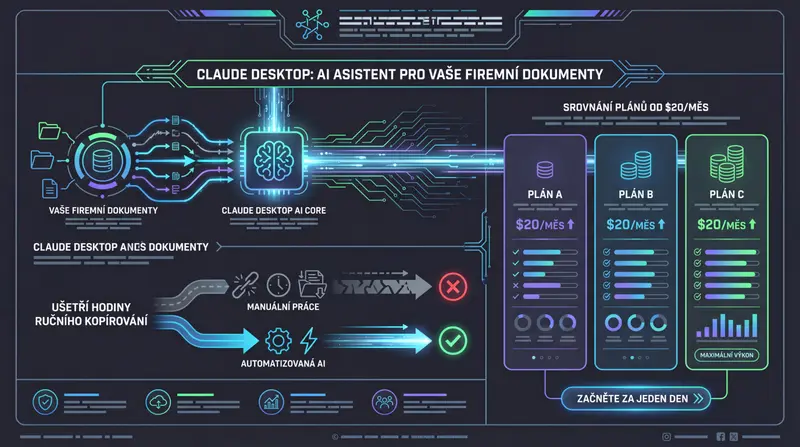
Claude Desktop: AI Assistant for Your Business Documents
Claude Desktop connects AI directly to your company's documents, saving hours of manual copying. Plan comparison from $20/month — get started in one day.

Vít Šafařík
AI & business productivity
Most companies pay for AI tools, but employees only use them for chatting. They copy a piece of text, get a response, copy it back. AI as an advanced copy-paste operation. Claude Desktop with the MCP protocol changes that — for the first time, AI can actually see your business data and work with it directly, without manual transcription.
What Claude Desktop Is and Why It’s Not Just Another Chatbot
You probably know Claude.ai from the browser. The desktop application looks similar, but there’s one key difference: it can connect directly to your systems and files on your computer. The web version can’t do this — you always have to manually paste data into the chat.
The application is available for macOS (Apple Silicon and Intel) and Windows. Conversations sync with the web version — log in with the same account and have your history everywhere.
The key feature that sets the desktop version apart is called system integration. In technical terms these are called MCP servers, but to understand what it means for your business, you only need to know one thing: Claude can now see your actual documents, folders, and tools — not just what you manually copy into the chat.
MCP: The Breakthrough Changing How AI Works with Your Data
On November 26, 2024, Anthropic released an open standard called the Model Context Protocol — MCP for short. They described it themselves as: “MCP is like a USB-C port for AI applications.”
You know USB-C? One connector that works with a laptop, phone, monitor, and charger. MCP does the same for AI — one standard you can connect virtually anything to. And because it’s an open standard, ChatGPT from OpenAI adopted it in January 2025. In March 2025, the stable MCP 1.0 specification was released.
What does this mean in practice? Claude Desktop can now connect to:
- Google Drive — searches your documents, reads reports, finds a specific file
- Notion — reads and writes to your company wiki or meeting notes
- Slack — reads channels, drafts messages
- GitHub — overview of projects, tasks, pull requests
- Company databases — direct queries without programming
- Local files — works with folders directly on your computer
The difference from previous AI use is fundamental. Before, you had to open a document, select text, copy it into the chat, get a response, copy it back. Now you say: “Go through all the contracts in Google Drive from last year and list where we have payment terms under 60 days.” And Claude does it.
5 Things Your Employees Can Handle in an Hour Instead of a Day
Here are specific scenarios that companies deal with today:
1. Analyzing reports and contracts Before: an employee opens a PDF, reads it, manually notes key information, creates a summary — an hour’s work. Now: upload the file to Claude, get a summary, extracted KPIs, and a list of risk clauses in minutes.
2. Preparing meetings and agendas Before: going through notes from the last three meetings in Notion, selecting open tasks, writing an agenda — half an hour. Now: Claude reads Notion directly and prepares an agenda with open items automatically.
3. Email correspondence and translations Before: write an email, translate it into English, reword it more formally — 20 minutes. Now: describe the situation in two sentences, Claude writes the email in both English and your native language at once.
4. Materials for presentations Before: going through several documents, selecting relevant points, structuring into slides — hours. Now: Claude reads the source materials and prepares a structured presentation outline.
5. Queries to the company wiki Before: searching in Confluence or Notion, browsing pages, uncertainty about whether the information is current. Now: ask in plain language, Claude searches the entire wiki and responds with a link to the specific page.
Claude vs. the Competition: What You Get for Your Money
A direct comparison of the main players in the office AI assistant market:
| Tool | Price/user/month | Context window (A4 pages) | Open integration (MCP) | Office integration |
|---|---|---|---|---|
| Claude Pro/Team | $20–25 | ~500 pages | ✅ Yes | via third parties |
| ChatGPT Plus/Team | $20–25 | ~300 pages | ✅ Yes (since 2025) | via third parties |
| MS Copilot (M365) | $30 | ~300 pages | ❌ proprietary | ✅ native |
| Gemini Advanced | $19.99 | ~2,500 pages* | ❌ | Google Workspace |
*Gemini 1.5 Pro has a context window of 1 million tokens, but without the open MCP standard.
What this means for your business:
Microsoft Copilot costs 50% more than Claude or ChatGPT. The advantage is native integration with Word, Excel, and Teams — if your team lives in Microsoft 365, that makes sense. If not, you’re paying a premium for an integration you won’t use.
Context window — how much text AI can “read” at once — is a key parameter for office work. Claude can process approximately 500 A4 pages at once. That’s an entire annual report, a complete customer contract with attachments, or a year’s worth of meeting notes all at once.
How Much It Costs and Who It Makes Sense For
| Plan | Price | For whom |
|---|---|---|
| Free | free | Trial, limited number of queries per day |
| Pro | $20/month | Single user, unlimited usage, all models |
| Team | $25/user/month | Minimum 5 users, admin console, shared projects |
| Enterprise | custom pricing | Larger companies, SSO, audit logs, custom terms |
When the Team plan makes more sense than five individual Pro accounts: You have centralized management — you add and remove access from one place, not through five different payment cards. You share projects and context with colleagues. One invoice for the whole team instead of five personal subscriptions.
The typical company that gets the most out of Claude Desktop: 5 to 50 employees, lots of documents in circulation (contracts, reports, proposals), little or no IT team. Exactly where every hour saved on routine document work goes directly into productivity.
Is It Safe? What Happens to Your Business Data
This question always comes up. And it’s the right one.
The facts:
- Paid plans (Pro, Team, Enterprise): Anthropic does not train models on your data. What you send to Claude is not used to improve the model.
- Free tier: Data may be used for training. For business use, I therefore do not recommend the Free tier.
- SOC 2 Type II certification: The standard security certificate required by companies when selecting vendors.
- GDPR: Anthropic has a DPA (Data Processing Agreement) available for European customers. This is a legal requirement for lawful processing of business data in the EU.
Recommendation for business deployment: Team plan at minimum. Data security and centralized access management are a necessity, not a luxury, when working with business documents.
How to Get Started: From Download to First Result in One Day
You don’t need an IT department or technical knowledge:
- Download the app at claude.ai/download — available for Mac and Windows
- Choose a plan — Pro for testing, Team if you’re deploying for a team right away
- Connect your first data source — the easiest start is Filesystem (your local folders) or Google Drive
- Assign your first real task — not “what can you do,” but a specific document from your work
The entire setup can be handled by one non-technical employee in an hour.
If you’re not sure exactly where Claude Desktop will bring the greatest savings in your company, I offer an AI audit — we’ll go through your processes and identify specific areas where automation makes sense. Also browse all our services or simply get in touch to discuss your case.
An AI assistant that only sees what you manually feed it is like an employee who isn’t allowed to open a computer. Claude Desktop changes that. And the price starts at $20 a month.
Share this article
Found this article helpful? Share it with colleagues who might benefit.